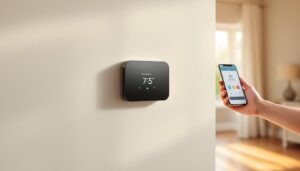
The Amazon Smart Thermostat is a budget-friendly, Alexa-powered device that lets homeowners control their heating and cooling from anywhere using a smartphone or voice commands. Unlike traditional wall-mounted thermostats that sit dormant until manually adjusted, this connected unit learns routines, adjusts temperatures automatically, and integrates seamlessly with other smart home devices. Whether you’re looking to cut energy bills, simplify climate control, or build out a full smart home ecosystem, understanding how the Amazon Smart Thermostat works, and whether it fits your setup, is essential before installation.
Table of Contents
ToggleKey Takeaways
- The Amazon Smart Thermostat is an affordable, Alexa-enabled device that controls heating and cooling remotely via smartphone or voice commands while learning your household’s temperature preferences.
- Installation requires basic electrical knowledge to match wired terminals correctly; systems without a common wire may need professional help or additional wiring from a licensed HVAC technician.
- The Amazon Smart Thermostat integrates with Alexa routines and geofencing to automate temperature adjustments based on your schedule and location, potentially reducing energy costs by 10–15% annually.
- Compatible with most standard residential HVAC systems (furnace, AC, heat pump), but not hydronic systems, multi-zone setups, or specialized voltage systems without workarounds.
- Energy monitoring features display your HVAC runtime and usage comparisons, helping you identify patterns and maximize savings by adjusting heating 3–5°F lower when away or during winter nights.
- Best suited for homeowners with compatible standard HVAC systems and stable Wi-Fi coverage; skip it if you need deep integration with Google or Apple platforms or have unreliable network connectivity.
What Is The Amazon Smart Thermostat?
Key Features & Compatibility
The Amazon Smart Thermostat is a wall-mounted HVAC controller designed to replace your existing thermostat. It connects to your home’s Wi-Fi and pairs with Alexa (Amazon’s voice assistant) to enable remote temperature adjustments and scheduling. According to in-depth reviews of Amazon’s thermostat, the device features a clean touchscreen display, real-time energy reports, and a learning capability that adapts to your household’s temperature preferences over time.
Compatibility is straightforward but critical. The thermostat works with most standard residential HVAC systems, furnaces, air conditioning units, and heat pumps, that use a common 24-volt control circuit. But, it does not support systems requiring specialized voltages, hydronic (radiant floor) systems, or multi-zone setups without additional wiring workarounds. Before purchasing, confirm your current thermostat’s wiring by photographing the terminals behind your existing unit or consulting your HVAC system’s manual.
Wi-Fi connectivity is mandatory: the thermostat cannot function without a 2.4 GHz or 5 GHz network connection. If your router is far from the thermostat location, a Wi-Fi extender or mesh network may be necessary. The device also requires an active Amazon account and the Alexa app installed on your smartphone or tablet for full remote functionality.
Installation & Setup Process
Installation isn’t difficult for homeowners with basic electrical knowledge, but it does require shutting off power to your HVAC system and carefully disconnecting your old thermostat. Here’s what to expect:
Preparation & Safety:
- Turn off power at your breaker panel or furnace disconnect switch. Use a voltage tester to confirm power is off at the thermostat location.
- Take a photo of your old thermostat’s terminal connections (typically labeled W, Y, G, R, C, O/B) before removing it. This step prevents costly wiring mistakes.
- Carefully disconnect the old unit and remove any mounting screws or adhesive from the wall.
- Use a level and stud finder to mark your new mounting location. The thermostat should sit roughly 52–60 inches above the floor, away from direct sunlight, drafts, and heat sources like kitchen vents.
Wiring the Amazon Smart Thermostat:
- Insert the backing plate (included) into the wall opening and align it with your marked level line.
- Connect the thermostat wires to the corresponding terminals on the backing plate. Match each wire to its original terminal: red (R) to 24V power, white (W) to heat, yellow (Y) to cooling, green (G) to the fan, and blue (C) to common/neutral if present.
- If your system lacks a blue common wire but the backing plate has one, you may need to run a new wire from your furnace or air handler. Many older systems don’t include a dedicated common, which can complicate setup, consult your HVAC manual or contact a licensed technician if unsure.
- Snap the thermostat faceplate onto the backing plate and restore power at the breaker.
Initial Configuration:
Once power is restored, the thermostat’s display will guide you through Wi-Fi connection and Alexa pairing. Select your 2.4 GHz or 5 GHz network, enter your password, and sign in with your Amazon credentials. The device will automatically detect your HVAC system type (heating only, cooling only, or both) during startup. If detection fails, manually select your system type from the on-screen menu.
When to Call a Professional:
If your system uses four wires instead of five, if you’re unsure about any terminal, or if you don’t have a common wire and adding one isn’t feasible, a licensed HVAC technician can install the thermostat safely and ensure compatibility. Some municipalities also require permits for thermostat installation: check local building codes before starting work.
Smart Home Integration & Voice Control
The real power of the Amazon Smart Thermostat emerges when it’s integrated into your broader smart home ecosystem. Voice control via Alexa is the most convenient feature: simply say “Alexa, set the temperature to 72 degrees” or “Alexa, turn on the AC” to adjust settings hands-free. You can create routines that trigger temperature changes at specific times or when certain conditions occur, for example, lowering the heat to 62°F when your last family member leaves home, then warming it back to 70°F an hour before the first person returns.
The Alexa app acts as your remote control, displaying current indoor temperature, humidity, and thermostat status from anywhere with an internet connection. You can adjust schedules, set up geofencing (automatic temperature changes based on whether phones are home), and view historical temperature data. Multi-device control is also possible if you have multiple Alexa speakers, any speaker can receive commands to control the thermostat.
For deeper smart home integration, Amazon’s affordable smart thermostat works with Routines that involve other compatible devices. Pair it with a smart door sensor, for instance, and have the thermostat automatically adjust when doors open or close. Smart home hubs like the Echo Hub or Echo Show can serve as a central control point, offering a visual interface for temperature management.
Compatibility with third-party systems (Google Home, Apple HomeKit, SmartThings) is limited, the thermostat primarily integrates within the Amazon Alexa ecosystem. If you’re building a multi-platform smart home, verify compatibility before committing to the Amazon solution.
Energy Savings & Usage Monitoring
One of the strongest selling points of the Amazon Smart Thermostat is its potential to lower heating and cooling costs. The device includes a learning feature that tracks your temperature adjustments and automatically suggests schedules that match your lifestyle. Over time, this intelligence can reduce unnecessary heating or cooling when no one is home.
The on-device energy report shows your HVAC system’s runtime and estimated monthly energy usage compared to previous months. This transparency helps identify patterns, for example, discovering that your furnace runs excessively during off-peak hours and adjusting schedules accordingly. The app’s usage graphs break down heating vs. cooling consumption, which is valuable data for understanding seasonal energy demands.
Real savings depend on several factors: your local climate, current thermostat habits, system age and efficiency, and how actively you use the scheduling and remote control features. Homeowners who previously left their thermostat at one static temperature and now use geofencing and automated schedules often report 10–15% annual savings. Those with older, less efficient HVAC systems may see higher percentage reductions, while households with newer high-efficiency units may see modest gains since less waste exists to eliminate.
To maximize savings, set your heating setpoint 3–5°F lower during winter nights and when away, and your cooling setpoint 3–5°F higher during summer days and absences. According to CNET’s assessment of the thermostat, these adjustments, combined with the device’s automation features, yield the most cost-effective results without sacrificing comfort.
Troubleshooting Common Issues
Wi-Fi Disconnection:
If the thermostat frequently loses connection, try moving your router closer or installing a Wi-Fi extender. Ensure you’re on the same 2.4 GHz band (many routers dual-broadcast 2.4 GHz and 5 GHz: the thermostat sometimes struggles with 5 GHz-only networks). Restart both the thermostat and router, and confirm that other smart home devices connect reliably on the same network.
Alexa Commands Not Working:
Restart the Alexa app and check that the thermostat is listed under “Devices.” If it’s offline in the app, toggle off Wi-Fi on your phone, wait 10 seconds, and reconnect. Confirm that Alexa skills are enabled and that your Amazon account is linked to the thermostat device.
No Common Wire / System Won’t Start:
If your HVAC system won’t turn on after installation, the backing plate may not have detected a common wire. Check the thermostat’s settings to confirm your system type is correctly selected. Some systems use a power stealing feature where the thermostat draws power from an existing wire, but this isn’t always reliable. If the system still won’t start, you may need a licensed technician to run a dedicated common wire from your furnace’s control board.
Inaccurate Temperature Readings:
The thermostat reads temperature from a built-in sensor in the faceplate. If readings seem off, ensure the thermostat isn’t in direct sunlight, near a heat source (register, radiator, kitchen vent), or in a drafty spot. Moving it or improving insulation around the mounting area can help calibration.
App Crashes or Unresponsive Display:
Uninstall and reinstall the Alexa app from your phone’s app store. Perform a factory reset on the thermostat by holding the reset button (located on the back of the faceplate) for 10 seconds: this erases all settings and requires re-pairing with Alexa.
Is It Right For Your Home?
The Amazon Smart Thermostat is an excellent fit if you have a standard residential HVAC system (furnace, central AC, or heat pump), a reliable Wi-Fi network, and an active Amazon/Alexa account. It’s particularly valuable for homeowners who spend time away from home or want automated scheduling without paying premium pricing for a thermostat.
Skip this model if your system lacks a common wire and running new wire isn’t feasible, if you require deep integration with non-Amazon platforms (Google or Apple), or if you need specialized features like separate zone control or radiant heating management. Similarly, if your home’s Wi-Fi is unstable or doesn’t reach the thermostat location, budget for network improvements before purchasing.
Price-wise, the Amazon Smart Thermostat sits at the budget-friendly end of the smart thermostat market, typically $60–$100, making it an approachable entry point for homeowners new to smart home climate control. Installation by a professional runs $100–$200 depending on complexity, which may or may not be necessary depending on your comfort with basic electrical work and your system’s configuration.
Eventually, the device delivers genuine value for homeowners seeking straightforward temperature control, voice convenience, and energy awareness. As long as your HVAC system is compatible and Wi-Fi connectivity is solid, the thermostat provides a practical stepping stone into smart home automation without breaking the budget.