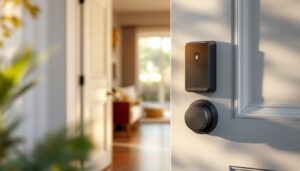
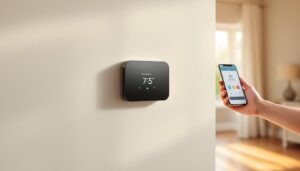
If you’ve ever wished your home lighting could adapt to your mood and schedule without manual fiddling, a smart light switch dimmer might be exactly what you’re looking for. Unlike basic smart bulbs that require replacement, smart dimmers integrate directly into your existing switch box, giving you centralized control over brightness, scheduling, and automation across multiple fixtures. Whether you’re retrofitting an older home or upgrading a new build, these devices are increasingly affordable and straightforward to install. This guide walks you through what they do, why homeowners are installing them, and how to pick the right one for your space.
Table of Contents
ToggleKey Takeaways
- A smart light switch dimmer replaces your existing wall switch to control multiple bulbs simultaneously and works with most LED, CFL, and incandescent bulbs via smartphone app, voice command, or automated schedules.
- Smart dimmers can reduce energy consumption by up to 75–80% when paired with LED bulbs, and occupancy-based automation eliminates unnecessary lighting, creating measurable savings on utility bills over time.
- When choosing a smart light switch dimmer, verify compatibility with your smart home ecosystem, confirm your switch box can accommodate the bulkier device, and ensure the dimmer’s wattage rating exceeds your circuit’s total load by at least 20%.
- Installation requires working with live electrical circuits and should only be attempted by experienced DIYers; hiring a licensed electrician ($100–300 per switch) ensures safety and warranty protection if you’re uncomfortable with the work.
- Popular smart dimmer features include voice control integration, occupancy sensing, warm-to-cool color temperature tuning, scheduling based on sunrise/sunset, and energy usage reporting to optimize your home’s lighting efficiency.
What Is a Smart Light Switch Dimmer?
A smart light switch dimmer is a connected device that replaces your standard wall switch and allows you to adjust lighting levels remotely, via voice command, or through automated schedules. Unlike traditional dimmers that require you to physically hold the button to fade lights up or down, smart dimmers let you set exact brightness percentages through a smartphone app, a voice assistant, or a dedicated remote. They work with standard incandescent, LED, and CFL bulbs, though LEDs tend to be more reliable with dimming, and connect to your home WiFi network or a proprietary smart home hub.
The key difference between a smart dimmer and a regular smart bulb is installation location and flexibility. A smart dimmer goes in your switch box (where the old switch sits), so you can control multiple bulbs on the same circuit simultaneously. Smart bulbs, by contrast, require individual bulb replacements. Dimmers also maintain backward compatibility: if your WiFi drops, you can still use the physical button as a fallback. Many modern dimmers offer integration with major ecosystems like Amazon Alexa, Google Home, or Apple HomeKit, making voice control and cross-device automation seamless.
Key Benefits of Installing Smart Dimmers
Energy Savings and Cost Reduction
Dimming lights to 50% brightness uses roughly half the energy of running them at full power, which compounds significantly over weeks and months. If you’re replacing incandescent fixtures with a smart dimmer controlling LED bulbs, your savings climb even higher, LEDs already use 75–80% less energy than incandescent equivalents, and dimming them further cuts consumption even more. Over a year, a household that dims lighting for just two or three hours daily can see measurable reductions on the utility bill, especially in homes with multiple fixtures or rooms.
Beyond energy savings, smart dimmers eliminate the temptation to leave lights on unnecessarily. Occupancy-based automation (motion sensors paired with your dimmer) can turn lights on when you enter a room and fade them off after you leave, removing the cognitive load of manual switching. If you’re currently replacing 60-watt bulbs, a smart dimmer controlling LED equivalents (typically 8–10 watts) with scheduled dimming is one of the simplest upgrades to justify financially.
Enhanced Home Ambiance and Control
Lighting profoundly affects mood and productivity. A bright, neutral setting suits task work: warm, dim lighting creates a relaxing atmosphere. Smart dimmers let you program different scenes, bright for morning routines, dimmer for evening, warm tones for entertaining, cool tones for home offices. You can adjust lighting from your couch without moving, sync brightness to sunrise and sunset, or create custom routines that dim lights gradually as bedtime approaches, which research suggests supports better sleep.
For entertaining, the ability to adjust ambiance across multiple rooms from a single app or voice command is a genuine convenience. Some homeowners also appreciate the security aspect: scheduling lights to turn on and off when you’re away creates the impression of occupancy, which can deter burglary. Home automation experts increasingly recommend pairing dimmers with motion sensors for added security and energy efficiency.
Choosing the Right Smart Dimmer for Your Home
When selecting a smart dimmer, evaluate these factors:
Compatibility. Check whether the dimmer works with your existing lighting setup. Most support LED and CFL bulbs, but older incandescent-only dimmers may flicker with certain LEDs. Confirm compatibility with your smart home ecosystem (Alexa, Google Home, HomeKit, or a standalone hub like Hubitat). Some dimmers are hub-required: others connect directly to WiFi, direct WiFi is simpler but may consume more battery if it’s battery-powered.
Switch Type. Smart dimmers come as simple dimmer switches (a paddle or button that adjusts brightness), three-way switches (for lights controlled from two locations), or fan-speed controllers. Measure your switch box depth: smart dimmers are bulkier than traditional switches and won’t fit in shallow boxes. If your box is tight, you may need to use an extension ring or consult an electrician.
Load Capacity. Every dimmer has a wattage limit, typically 600–1000W for standard residential dimmers. If you’re controlling a chandelier with twelve 60-watt incandescent bulbs, that’s 720 watts: LEDs would be roughly 90 watts total. If you exceed the dimmer’s rated load, it will overheat and fail. Count the wattage of all bulbs on the circuit and choose a dimmer rated at least 20% above that total.
Features and Price. Entry-level smart dimmers cost $25–50 and handle basic on/off and brightness control. Mid-range models ($50–100) add scheduling, automation, and voice control. Premium dimmers ($100+) offer advanced features like color temperature adjustment (warm to cool white), occupancy sensing, or scene creation. Reviews from sources like Tom’s Guide’s smart light switch reviews can help compare current options and performance.
Installation Basics: What Homeowners Should Know
Installing a smart dimmer is within reach for many DIYers, but it involves working with live electrical circuits. If you’re uncomfortable with electrical work, hire a licensed electrician, the cost ($100–300 per switch) is worth the safety and warranty peace of mind.
Before You Start: Turn off power at the circuit breaker, then test the switch with a non-contact voltage detector to confirm power is off. Do not skip this step: live electricity in a switch box can cause serious injury. Have your old switch removed and inspect the wiring: most switches have a hot wire (black), a neutral wire (white), and a ground wire (green or bare copper). Some circuits also have a load wire if the switch controls a light on a separate circuit. Document the wire positions with a photo before disconnecting anything.
Installation Steps:
- Remove the old switch by unscrewing and disconnecting wires from its terminals.
- Connect wires to the new dimmer’s terminals according to its instructions, typically hot to the brass terminal, neutral to silver, ground to green. Use wire nuts if the dimmer doesn’t have push-in terminals.
- Carefully push the dimmer back into the switch box: it’s cramped, so work slowly. Don’t over-tighten screws.
- Attach the faceplate and restore power.
- Download the dimmer’s app or add it to your smart home hub using the pairing code on the device.
Common Pitfalls. Many installations fail because the switch box is too shallow or the wires don’t fit neatly. If you’re struggling, stop and call an electrician. Also, some dimmers require a neutral wire: if your old switch box has no neutral (common in older homes with two-way switches), you’ll need a neutral-free dimmer or an electrician to run a neutral wire, a larger project that may require a permit.
Popular Smart Dimmer Features Worth Considering
Voice Control. Alexa and Google Home integration is now standard on most dimmers $30 and up. You can say “Alexa, dim the kitchen to 40%” or create voice routines. Apple HomeKit dimmers are fewer in number but offer tighter privacy guarantees if that’s a priority.
Scheduling and Automations. Set specific times for lights to fade on or off (simulating occupancy when you’re away), or link dimming to sunrise/sunset times. Some dimmers trigger scenes when you arrive home, for example, living room lights come on at 70% as you pull into the driveway.
Occupancy and Motion Sensing. Some dimmers include built-in or compatible motion sensors, turning lights on when movement is detected and fading them off after a preset idle period. This is especially useful in hallways, bathrooms, or laundries.
Warm-to-Cool White Tuning. Premium dimmers let you adjust color temperature (warm amber for evenings, cool white for mornings). This feature supports circadian rhythm-friendly lighting and requires dimmable, color-tunable LED bulbs.
Integration with Third-Party Ecosystems. Leading platforms like Digital Trends smart home reviews highlight dimmers that work across multiple ecosystems (Alexa, Google, HomeKit) without a dedicated hub. Others connect via Zigbee or Z-Wave to a central hub, which can be more reliable in homes with weak WiFi.
Manual Override. All smart dimmers should include a physical button to adjust brightness if WiFi fails. Some have a small digital display: others use a simple rocker or paddle. Test this during installation to ensure it works intuitively.
Auditing and Reports. A few advanced dimmers log energy usage, letting you see which fixtures consume the most electricity. This data can guide further energy efficiency upgrades. Good Housekeeping’s home tech reviews often test these reporting features in their product evaluations.