If you’re tired of fumbling for keys or worried about lost copies floating around, a smart lock is one of the easiest upgrades you can make to your home’s security and convenience. The Eufy smart lock has become a go-to choice for homeowners seeking a reliable, affordable option that doesn’t require professional installation. Whether you’re considering the eufy video smart lock with its built-in camera or the eufy security video smart lock S330 for enhanced monitoring, this review walks you through what these locks offer, how they install, and whether they’re the right fit for your home. We’ll cover the real-world performance, pricing, and key features that matter most to DIYers and homeowners alike.
Table of Contents
ToggleKey Takeaways
- The Eufy smart lock offers affordable home security and convenience without professional installation, making it ideal for DIY homeowners looking for keyless entry options.
- Installation takes 30–60 minutes with basic tools, requires no wiring, and works with standard deadbolts on most residential doors, making it accessible to non-professionals.
- Multiple access methods including smartphone app, keypad, physical keys, and fingerprint recognition (on select models) provide flexibility, with all unlocks logged for security verification.
- Eufy video smart lock models with 2K cameras and night vision enable you to monitor deliveries and unexpected visitors remotely, with free 7-day cloud storage included.
- At $100–$300 depending on features, the Eufy smart lock delivers comparable functionality to premium competitors at half the price, with battery life lasting 6–12 months per charge cycle.
- The smart lock works seamlessly with Alexa, Google Home, and SmartThings integration, but requires stable Wi-Fi for remote app access—keypad and physical key entry remain functional if connectivity is lost.
What Is the Eufy Smart Lock and Why It Matters for Your Home
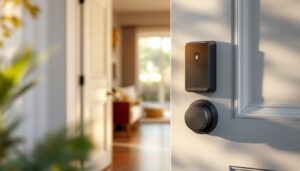
A smart lock replaces your traditional deadbolt mechanism while keeping your existing door and frame intact. The Eufy smart lock uses an electronic keypad, mobile app, or physical key to unlock your door, no wires running through your walls, no professional electrician required. It mounts on the interior side of your deadbolt, which means you can install it in an afternoon with basic tools.
Why does this matter for modern homeowners? First, convenience. No more patting your pockets for keys when your hands are full of groceries. Second, security logs. Every unlock is timestamped and recorded, so you know exactly when family members or guests entered. Third, flexibility. You can issue temporary PIN codes to contractors, dog walkers, or Airbnb guests without physical keys. For a DIYer, the appeal is simple: it’s a project you can complete yourself without permits or licensed help, yet it delivers genuine home security upgrades.
Key Features That Set Eufy Apart
Security and Access Control
Eufy smart locks come with multiple entry methods: smartphone app control via Bluetooth and Wi-Fi, a numeric keypad on the exterior, traditional physical keys, and admin override codes. The eufy security video smart lock S330 includes a 2K camera with night vision, which adds a visual verification layer when someone approaches your door, useful for confirming delivery drivers or unexpected visitors before you unlock remotely.
The locks support fingerprint recognition on select models, store up to 100 PIN codes, and integrate with voice assistants like Alexa and Google Home. Battery life typically runs 6–12 months on four AA batteries, and the lock alerts you when the battery is low. Access control is granular: you can set time-based codes (a guest PIN that only works Friday evening), create permanent codes for family members, and receive notifications whenever the lock is used or tampered with. Unlike traditional locks, there’s no master key vulnerability because access is electronic and logged.
One practical note: if your Wi-Fi goes down, the keypad and physical key still work. You just lose remote app control and notifications until connectivity is restored. For most homeowners, this is a fair trade-off for the convenience gains.
Installation and Compatibility
Installation takes 30–60 minutes if your door is a standard setup. You’ll need a screwdriver, possibly a tape measure, and a Phillips drill bit to enlarge the interior mounting hole if necessary. The lock fits any standard deadbolt hole, 1⅜-inch bore for most residential doors, and works on metal, wood, or composite doors.
Before you start, measure your door thickness (typically 1⅜ inches) and confirm your deadbolt is a standard pin-tumbler model (99% of homes). If you have a mortise lock (common in older colonial-style homes) or an unusual deadbolt, compatibility can be an issue. Check Eufy’s compatibility tool on their website.
The installation process is straightforward: remove the interior deadbolt assembly, slide the Eufy mechanism into place, and secure it with screws. You keep the exterior plate and escutcheon: the smart lock replaces only the inside throw and electronic components. No rewiring needed. Setup via the Eufy app takes another 10 minutes, connect to Wi-Fi, add residents, and configure access codes. The lock pairs with iOS and Android apps and works with Alexa, Google Assistant, and SmartThings if you’re building a broader smart home ecosystem.
Real-World Performance and User Experience
In practice, the eufy video smart lock models deliver on their promises. Unlocking via app is instantaneous if Wi-Fi is stable: keypad entry is quick and reliable. Notifications arrive consistently, you know when the mail carrier unlocks (if you’ve given them a code) or when a teen comes home from school.
Battery reliability is solid. Most users report batteries lasting 8–10 months with heavy use (20+ unlocks per week). The low-battery alert gives you weeks of notice to swap in fresh AAs. Night vision on the eufy security smart lock is genuinely useful, the 2K camera captures faces clearly enough to identify visitors or review event footage later. Setup through the app is intuitive, though connecting Wi-Fi can occasionally require a factory reset if you encounter pairing issues (uncommon, but it happens).
One real-world caveat: if your home has weak Wi-Fi near the front door (e.g., your router is on the opposite end of the house), remote unlock latency increases or fails intermittently. Moving your Wi-Fi router, adding a mesh node, or using a nearby extender solves this. For local keypad and physical key use, this isn’t a problem, only remote app control is affected.
Pricing and Value Comparison
The standard Eufy smart lock (without camera) retails around $100–$150, making it one of the most affordable smart locks on the market. The eufy video smart lock variants cost $200–$250 depending on features, and the eufy security video smart lock S330 (the flagship) ranges $250–$300. For comparison, premium smart locks from brands like Level Lock or Yale cost $300–$500 and often require professional installation.
Value-for-money, Eufy wins. You’re getting Bluetooth and Wi-Fi connectivity, access logging, mobile app, and (on video models) a 2K camera, all at half the price of competing flagship options. Compared to traditional locks, the upfront cost pays for itself in convenience within the first month for most homeowners. Installation being DIY-friendly saves you an additional $100–$200 in service calls.
Budget differently based on your needs: if you just want remote access and codes, the base model suffices. If you want to monitor who’s at your door (deliveries, unexpected visitors, package theft deterrence), step up to a video model. One cost to factor in: cloud storage for video. Eufy offers free 7-day rolling cloud storage on video models, with paid plans for longer retention.
Is the Eufy Smart Lock Right for You?
The Eufy smart lock is ideal if you rent (many smart locks are rental-friendly since they’re non-destructive), own a rental property, or want a keyless backup lock without replacing your entire deadbolt system. It’s also perfect if you’re tech-comfortable but not eager to hire professionals. Recent reviews of smart locks confirm its reliability and ease of setup compared to alternatives.
Skip it if your door’s deadbolt is mortise-style, you have zero Wi-Fi at your entry, or your household rarely uses apps (though keypad-only operation is always available). It’s also not ideal if you’re in a climate with extreme temperature swings and you can’t guarantee frequent battery replacements, cold weather can drain batteries faster.
A comprehensive comparison of top smart locks shows Eufy consistently ranking high for affordability and user-friendliness. For DIY homeowners, the combination of low cost, straightforward installation, and solid performance makes it a practical first smart lock choice. Whether you choose the standard model, eufy video smart lock, or premium eufy security video smart lock S330 depends on whether door monitoring justifies the extra cost for your home. Start with the features you actually need, and upgrade later if requirements change, that’s the DIY approach. Head to CNET’s smart lock guide for broader context on how Eufy stacks up against the entire market.