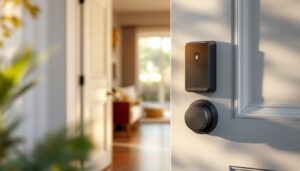
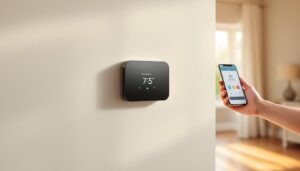
A Kwikset smart lock battery powering your keyless entry is one of those components you don’t think about until it fails, and then you’re locked out. But checking and replacing a Kwikset smart lock battery isn’t complicated, and it’s something any homeowner can handle in minutes. Unlike traditional locks, smart locks give you advance warning when the battery is running low, so you can swap it out before being stranded. This guide walks you through understanding your battery, recognizing warning signs, and executing a smooth replacement to keep your entry secure and functional.
Table of Contents
ToggleKey Takeaways
- Most Kwikset smart lock battery systems use four AA alkaline batteries that last 1 to 3 years, making replacement simple and affordable for any homeowner.
- Kwikset smart locks provide advance low-battery warnings through mobile app alerts, keypad beeps, or dimming lights, allowing you to replace the battery before getting locked out.
- Replacing a Kwikset smart lock battery takes just 5 to 10 minutes and requires only new AA batteries—pay attention to polarity markings and confirm proper installation before closing the cartridge.
- Environmental factors like humidity, extreme temperatures, and water exposure accelerate battery drain and corrosion, so keep your lock mounted in a sheltered location and wipe contacts clean when replacing.
- If your Kwikset smart lock remains unresponsive after battery replacement, verify correct polarity, clean corroded contacts with a dry cloth, and check that batteries aren’t stale before seeking professional help.
Understanding Your Kwikset Smart Lock Battery
Your Kwikset smart lock battery is the lifeline of your keyless entry system. Without it, the motor that actuates the bolt won’t fire, and the lock’s wireless features go dark. Most Kwikset models use standard alkaline or rechargeable batteries, making replacement straightforward, no proprietary cells required.
Kwikset designs its locks with battery efficiency in mind. The firmware manages power consumption intelligently, balancing responsiveness with longevity. A typical installation uses four AA alkaline batteries, though some newer models employ different configurations. Understanding what’s under the cover of your specific lock prevents fumbling during replacement and helps you keep spares on hand.
Battery Types and Specifications
Almost all current Kwikset smart locks use AA alkaline batteries or AA rechargeable lithium-ion cells. Alkaline batteries are convenient and widely available: expect 1 to 3 years of life depending on usage frequency and environmental conditions. If you live in an area with frequent temperature swings or high humidity, alkaline performance may decline faster.
Rechargeable options exist but aren’t standard. If you prefer them, verify compatibility with your specific Kwikset model first, some locks flag rechargeables with lower voltage output. AA specifications are consistent: 1.5 volts (alkaline) or 1.2 volts (rechargeable NiMH).
Check your lock’s manual or the Kwikset website for your exact model’s battery count and type. Most residential deadbolts use four AAs in a battery cartridge that slides out cleanly. Lever handles and touchpad models may differ slightly, so don’t assume.
Signs Your Battery Is Running Low
A smart lock talks to you before it dies. Kwikset locks display low-battery warnings through multiple channels: on-screen notifications if you have a touchpad model, audible beeps at the keypad, or alerts in the mobile app tied to your Wi-Fi hub. Don’t ignore these signals. A weak battery can cause intermittent lock failures, making the bolt hesitate or fail to retract, far more annoying than a planned replacement.
Common warning signs include the keypad light dimming, slower response times when you punch in your code, or the app reporting “Low Battery.” Some models show a red LED on the interior, while others emit a warning beep every 30 seconds. If you notice the lock acting sluggish, assume it’s battery-related before blaming the network. Many troubleshooting guides recommend battery replacement as the first step, and with good reason, a fresh set often solves mysterious lockouts and connectivity hiccups. How to troubleshoot a smart lock details common issues, many tied directly to aging batteries.
How to Replace Your Kwikset Smart Lock Battery
Replacing a Kwikset smart lock battery takes 5 to 10 minutes and requires no tools beyond a fresh set of AA batteries. The exterior lock body stays mounted on your door: you access the battery cartridge from inside your home. Before starting, have your new batteries ready, keeping spares near your entry is smart planning.
Step-by-Step Replacement Process
-
Locate the battery cartridge. From inside your home, examine the interior side of your smart lock. Most Kwikset models have a rectangular plastic or metal battery cover, usually labeled, near the bottom or on the side of the lock body.
-
Open the cartridge. Press or slide the battery cover release (varies by model). It should pop open without forcing. If it’s stuck, check your manual: some covers need a gentle pry with a plastic tool or flathead screwdriver at the notch.
-
Note the polarity. Inside the cartridge, you’ll see battery contacts marked with + and − symbols. This matters. Batteries installed backward won’t power the lock and may cause corrosion.
-
Remove old batteries. Slide out or pull the old batteries. If they’re stuck, don’t yank, gently work them side-to-side. Check for any corrosion or leakage. If you see white/blue crusty deposits, wipe the contacts clean with a dry cloth or a cotton swab.
-
Install fresh batteries. Insert new AA alkaline batteries positive-end first (+) into the marked slot. Press until they seat firmly. Take a second to confirm the polarity before closing the cover.
-
Close and test. Snap the battery cover shut. Test the lock immediately by entering your PIN or using the mobile app. Most models beep or show a green light when powered correctly. The Kwikset Halo Touch review covers specific features of that model, including battery status indicators.
If the lock doesn’t respond after replacement, remove the batteries, wait 30 seconds, and reinstall them. That resets the lock’s firmware. Persistent failure suggests a deeper issue, corrosion, water damage, or a mechanical fault, requiring professional service.
Extending Battery Life and Maintenance Tips
Battery longevity depends on usage patterns, temperature, and lock configuration. A household that rarely uses the keypad, relying instead on a key fob or mobile app, will see longer battery intervals than one entering codes 10 times daily. Frequent access degrades batteries faster because each unlock operation drains power from the motor.
Environmental factors matter. Extreme cold slows alkaline chemistry and reduces output voltage. Humidity and coastal salt spray corrode battery contacts over time. Mount your lock in a sheltered location if possible, and avoid leaving it exposed to direct rain or freezing temperatures. Dripping water into the battery cartridge is a leading cause of premature failure and corrosion.
Keep the battery cartridge and interior components clean and dry. Wipe down the interior periodically with a dry cloth, especially if your climate is humid. Don’t store spare batteries in the lock itself: keep them in a cool, dry place indoors. Batteries have a self-discharge rate: fresh stock from the store is always better than a pack sitting in your garage for a year.
Consider setting a calendar reminder to check battery status twice yearly. Spring and fall are good times, before seasonal usage peaks in summer and winter. Proactive replacement prevents the frustration of discovering a dead lock when you need it most. Quality alkaline batteries from reputable brands cost dollars and save headaches. The Kwikset Premis review discusses battery longevity expectations for that model and installation best practices.
Troubleshooting Common Battery Issues
If you’ve replaced the battery but the lock still misbehaves, work through these diagnostics. First, confirm you installed the batteries correctly, wrong polarity is surprisingly common. Open the cartridge again and verify the + side is inserted into the marked + slot. Misaligned batteries won’t provide power even if they’re brand new.
Corrosion is the second culprit. If the old batteries leaked or the lock was exposed to moisture, the battery contacts may be oxidized and unable to conduct power. Clean the metal contacts inside the cartridge with a dry cloth or a pencil eraser for light corrosion. Stubborn corrosion requires replacing the cartridge itself, contact Kwikset support for parts.
Stale batteries happen. Never assume a battery is good because it’s new, if it’s been sitting in a junk drawer for two years, its voltage has faded. Swap in a fresh battery from a sealed package. Rechargeable AA batteries sometimes confuse Kwikset locks if they’re designed for alkaline cells. Stick with standard alkaline unless your model documentation explicitly supports NiMH rechargeables.
If the lock powers on but responds sluggishly, the battery is weak but not dead. Replace it immediately before the lock fails entirely. Intermittent lock operation, working one day, failing the next, often signals a failing battery that’s oscillating above and below the motor’s minimum voltage threshold. That’s your signal to swap fresh cells right away.