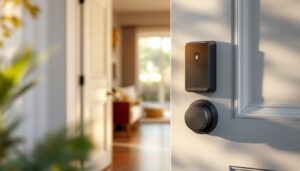
If you’re tired of fumbling for keys or worrying about who has copies floating around, a Yale smart lock might be exactly what your home needs. These connected devices replace traditional deadbolts with keyless entry systems that work from your phone, a keypad, or even your fingerprint. They’ve become standard upgrades for homeowners looking to add real convenience and security without a full renovation. Whether you’re building a new smart home setup or just want to ditch the metal keys, understanding what a Yale smart lock does, and how to install one, helps you make an well-informed choice for your entry doors.
Table of Contents
ToggleWhat Is a Yale Smart Lock and Why Homeowners Are Making the Switch
A Yale smart lock is an electronic deadbolt that replaces your existing lock hardware, letting you unlock your door without a traditional key. Instead, you control entry through your smartphone app, a physical keypad, biometric readers, or by sharing temporary access codes with guests. Unlike a simple deadbolt with a keypad overlay, Yale’s smart systems integrate with your home automation ecosystem, send you notifications when someone enters, and let you grant or revoke access remotely.
Why the switch? The appeal comes down to convenience and control. You’ll never search your pockets for keys again, and you won’t need to hide spares under the doormat or worry about lost copies. Parents appreciate granting kids keyless entry once they’re trusted to come home alone. Homeowners with short-term rentals or frequent guests can generate one-time codes that expire automatically, no rekeying required.
From a security standpoint, Yale smart locks provide an audit trail. You know exactly when doors open, who opened them (if it was a specific code or key), and you can lock or unlock remotely even if you’re across town. If someone tries to force entry, many models send instant phone alerts. That said, these aren’t Fort Knox, they’re electronic locks, not safes, so pairing them with standard security practices (reinforced door frames, exterior lighting) makes them more effective.
Key Features That Make Yale Smart Locks Stand Out
Yale’s product line includes several standout models, and the best choice depends on your priorities, smartphone control, fingerprint recognition, or straightforward keypad entry. Understanding the major features helps you pick the right one for your situation.
Mobile Access and Remote Control
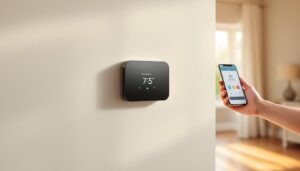
Most Yale smart locks connect to your home Wi-Fi via a hub or bridge, allowing smartphone control from anywhere. You unlock your door, check lock status, or grant temporary access codes to a plumber or delivery driver using the Yale app. This works even when you’re at the office or out of town. The Yale Assure Lock 2, so you’re never guessing whether you locked the door after leaving.
Remote access comes with a caveat: it depends on your Wi-Fi stability and the hub’s power connection. If your internet goes down, remote unlocking won’t work, though the lock itself will still function locally with a keypad code or key. Some models require a separate hub: others use Bluetooth for nearby control without a hub, check your specific model’s requirements before buying.
Multiple Entry Methods
Yale smart locks typically offer three to four ways to enter: a smartphone app, a physical keypad, a traditional key backup, and sometimes biometric (fingerprint) recognition. The Yale Assure Lock 2 Touch model adds fingerprint functionality, which feels futuristic but works best when hands are clean and registered fingerprints are stored on the lock itself.
The keypad is your workhorse. Users enter a 4–6 digit code to unlock, and you can create temporary codes for guests that expire after a set date. This eliminates the need to change locks or hand out physical keys. The traditional key backup ensures you’re never locked out if the battery dies (most Yale locks run 8–12 months on four AA batteries and alert you when power is low). That redundancy is essential: don’t ignore it.
Installation and Setup: What to Expect
Installing a Yale smart lock is a weekend project for most homeowners, but prep work is everything. Before you unbox anything, check if your door is compatible. Yale locks fit standard 1 3/8″ to 1 3/4″ thick doors (measure your door thickness first). If your door is metal, has unusual routing, or has existing smart lock hardware from another brand, installation gets more complex.
Tools and Materials You’ll Need:
- Screwdriver set (Phillips and flathead)
- Drill with bits (if you need to create new holes, rare but possible)
- Tape measure
- The Yale lock kit (includes interior and exterior assemblies, batteries, and mounting hardware)
Safety First: Before starting, remove the interior deadbolt from your door using a screwdriver. This is low-risk work, but take your time and lay out all hardware in order so reassembly goes smoothly. Don’t lose small springs or latches, they’re easy to misplace.
Installation Steps:
- Remove your existing deadbolt completely. On most doors, this means unscrewing two bolts from the interior side. Set those screws aside.
- Check the door’s edge (the narrow part) to confirm there’s no obstruction and the existing hole aligns with the Yale lock’s measurements.
- Insert the Yale exterior assembly first, sliding it through the door’s bolt hole.
- Attach the strike plate (the small metal piece on the door frame) if you’re replacing an old one. Some doors need repositioning: confirm it lines up before tightening.
- Secure the interior assembly on the inside, aligning it carefully with the exterior unit. Tighten all bolts hand-tight first, then use a screwdriver to tighten fully. Don’t over-tighten: you can crack the internal mechanism.
- Install four AA batteries into the interior assembly’s battery compartment.
- Download the Yale app, create an account, and follow the pairing instructions. Most locks use Bluetooth to pair initially, then connect to Wi-Fi via your hub (if required).
- Test the keypad and app control before declaring victory.
The whole job takes 45 minutes to an hour if everything aligns. If your door’s latch hole doesn’t match Yale’s hole spacing, you’re looking at drill work, which adds complexity. Some homeowners opt to hire a locksmith for $150–300 rather than risk door damage, that’s a reasonable choice if you’re uncomfortable with power tools.
Battery changes and firmware updates are the only maintenance tasks you’ll face. Yale pushes security updates through the app: apply them when prompted. If the keypad becomes unresponsive or codes stop working, it’s usually a low battery issue. The lock alerts you before batteries die completely, so you have time to grab fresh AAs.
Conclusion
A Yale smart lock removes a daily friction point, fumbling for keys, while adding tangible security features and remote control. Whether you choose a basic keypad model or one with biometric entry, you’re upgrading your home’s security posture without a contractor’s budget. Top smart lock reviews for 2026 confirm Yale remains a leader in reliability and ease of use. Installation is a straightforward DIY afternoon, provided your door is standard thickness and you take prep seriously. If you’re hesitant about drilling or aligning parts, a locksmith makes it foolproof, then you’ve got the convenience and security benefit without the stress.